Going Further with Slack DLP: SIEM Ingestion and Alerting Workflow


My previous article explains how to extract rich DLP logs from Slack:
 PaperMtn
SIEM Ingestion
I’ve mentioned previously that Slack provides the Audit Logs API for consuming Audit logs programmatically. Most major SIEM vendors have native integrations to ingest these logs. Now that we can also retrieve Slack DLP event logs programmatically in JSON format, we can ingest these into our SIEM as well.
There are two options for getting these logs:
- My previously introduced slack-dlp-log-extractor script
- The new Slack DLP SDK I’ve created
You can use either the extractor script or the SDK, along with the earliest and latest flags, to build a SIEM ingestion pipeline for DLP alerts.
One example approach is to poll hourly with a one-hour look back window, e.g. running at 10:05 to fetch events between 09:00 - 10:00.
A Slack DLP Review Workflow
Using our richer DLP logs, we can build a far more effective workflow for handling Slack DLP events than is possible using Audit Logs alone.
Recall the three actions Slack provides for a DLP rule:
- Alert only
- Show a warning
- Remove content
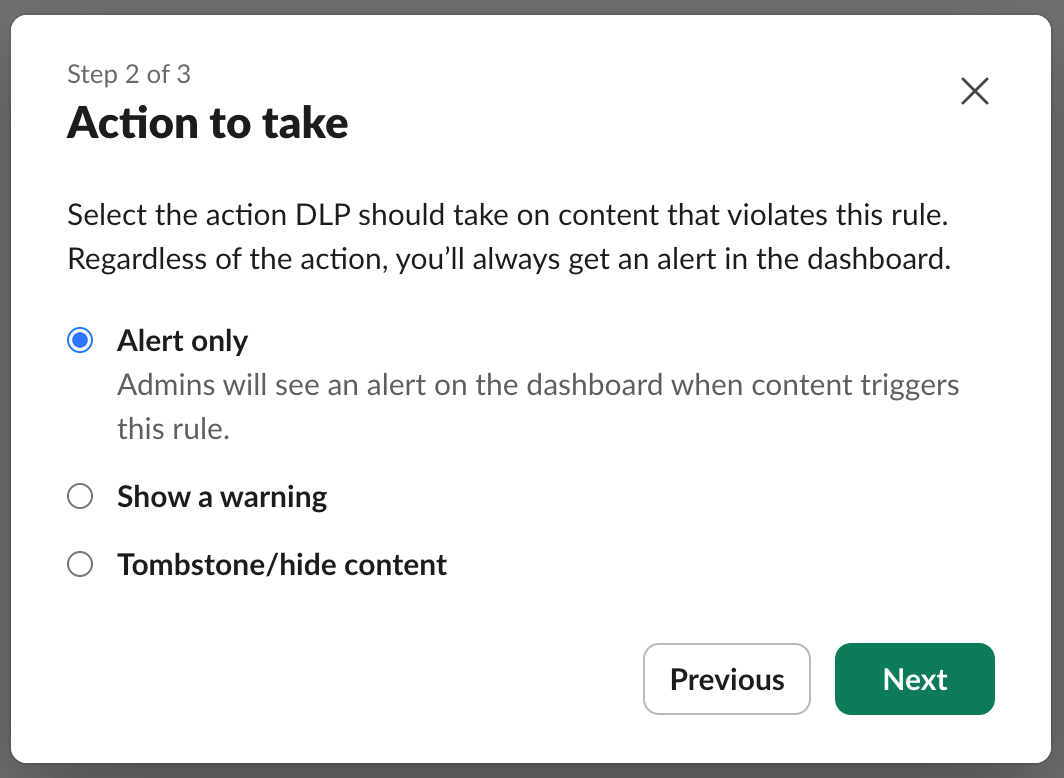
Alert only is overly permissive, and will create unnecessary work for whoever is responsible for reviewing these alerts.
On the other hand, hiding the content (Which Slack comically refer to as ‘Tombstoning’…) on each alert trigger is probably too restrictive, and will likely cause too much friction for users, especially as there are likely to be false positives.
Showing a warning appears to be the “goldilocks” option.
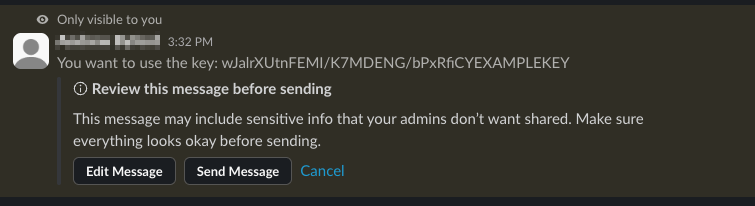
In this mode, the user sees a popup prompting them to review the message before sending it. You can modify this message for each DLP rule, which is advisable so users understand what secret or token they may have included. The user can then:
- Edit the message to remove the offending content
- Abandon the message entirely
- Post the message anyway
This approach gives the user agency to correct their own potential disclosures, and can educate them what should and shouldn’t be shared.
Because everything looks better in a flowchart, here is a workflow for dealing with alerts when using the "show a warning" option:
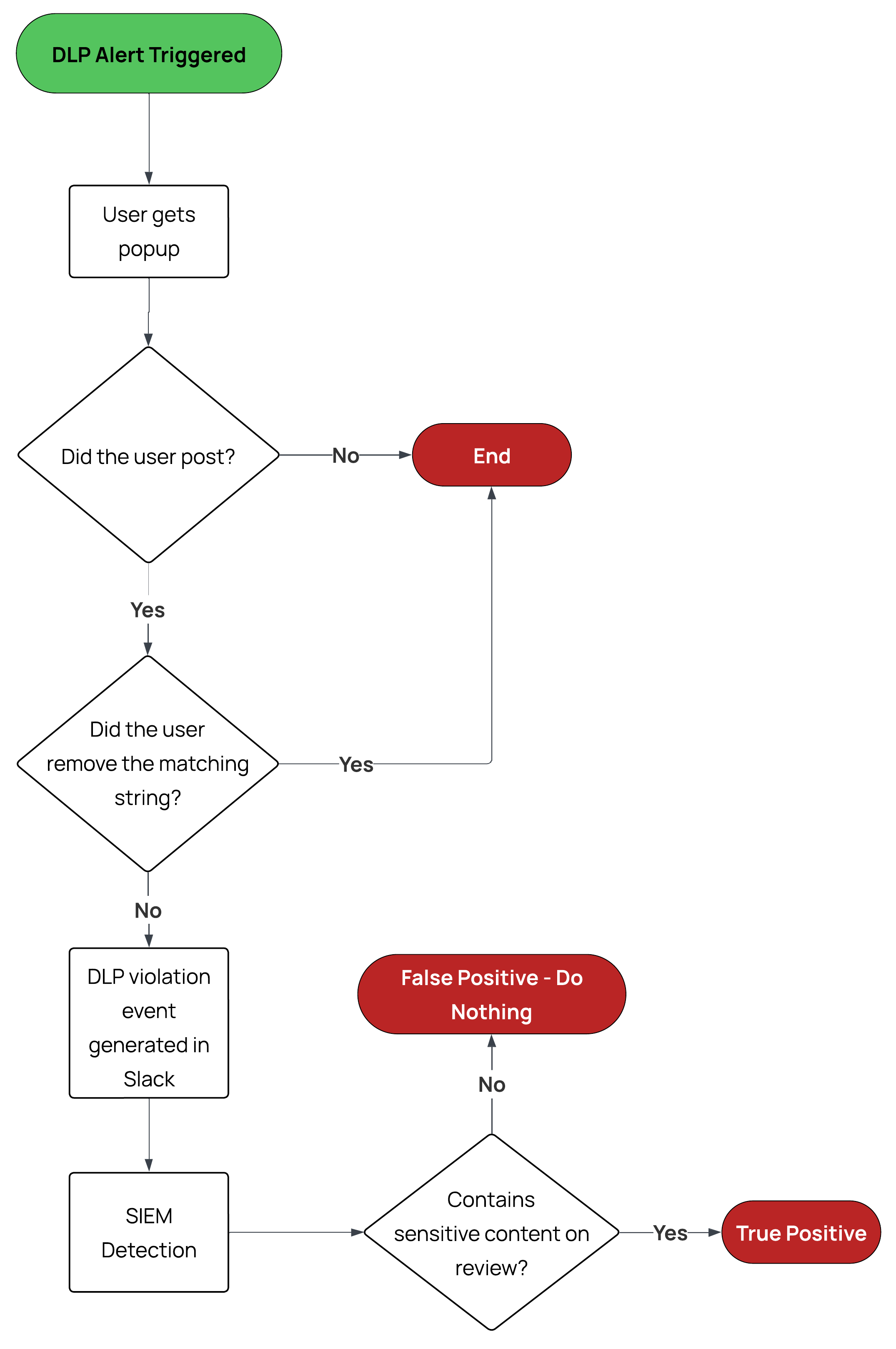
After a user attempts to post a message and is shown a warning, there are two paths where the violation can be resolved without intervention:
- The user realises they shouldn’t be posting the content, and decide not to send the message.
- The user removes the offending content and successfully posts a clean version.
In both cases, no DLP alert isn’t created and no review is needed.
If the user proceeds to post the message containing the violation, a DLP alert is created. This event is then ingested into the SIEM via our pipeline, where a detection rule can raise it for review.
Summary
By exporting Slack DLP events and ingesting them into a SIEM, we move beyond basic alerting and can create a workflow that’s more effective and less disruptive for both users and security teams. The “show a warning” approach allows potential issues to be resolved before an alert is ever generated, reducing alert fatigue for security teams.
In the next Slack DLP post, I’ll look at how we can further use our rich DLP logging with the DLP API to take automated actions to remediate findings.
Resources
 PaperMtn
 PaperMtn