Extracting Rich Slack DLP Alerts

What is Slack DLP?
Slack offers a native Data Loss Prevention (DLP) feature for Enterprise Grid customers. It scans messages as users post them and triggers detections when it finds sensitive content. There are built-in detectors for some sensitive data (Social Security numbers, credit cards), but the more powerful feature is the ability to use custom regular expressions in rules. With custom regex, you can capture tokens and secrets by the patterns they use, just like Slack Watchman does.
I’m not going to go in-depth on Slack’s native DLP; Slack covers it in the official documentation. I will make two points of note:
- Slack can take actions on DLP detections, such as remove the message, alert the user via a popup, or just log the event. We will come back to this later.
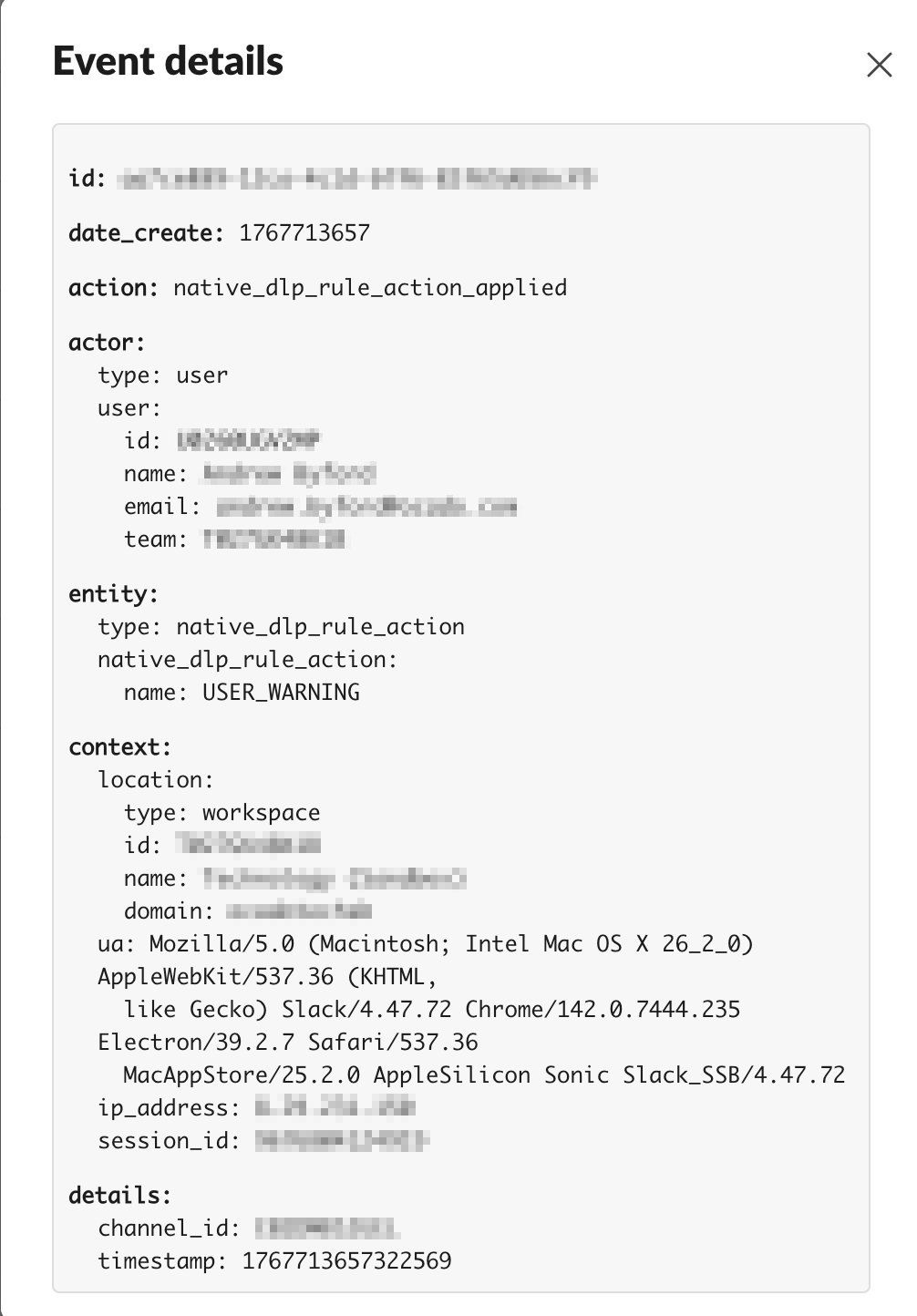
- Slack’s DLP logging leaves gaps. The admin console shows more context, but the audit event lacks the fields you need for triage and automation.
DLP Alert Logs in the Console
Audit Logs
Slack provides audit logs for Enterprise Grid customers. These logs capture users’ actions across a Slack enterprise. You’re given a lot of options to consume these logs; You can view them in the Slack console, export them to CSV, or ingest them into a SIEM using the Audit Logs API.
These logs contain information that answer common questions in a security investigation:
- Where did someone sign in from?
- Has a user deleted/downloaded an unusual number of messages?
In most cases, audit logs provide enough coverage for a thorough investigation, and I recommend ingesting and monitoring them for high-risk activity.
DLP Alert Logs
When a DLP rule triggers, Slack generates a DLP alert. These go into the audit logs, but also into the Data Loss Prevention dashboard in Slack admin.
Let’s look at an example; I’ve created a very basic DLP rule which detects potential AWS Tokens in messages using a regular expression.
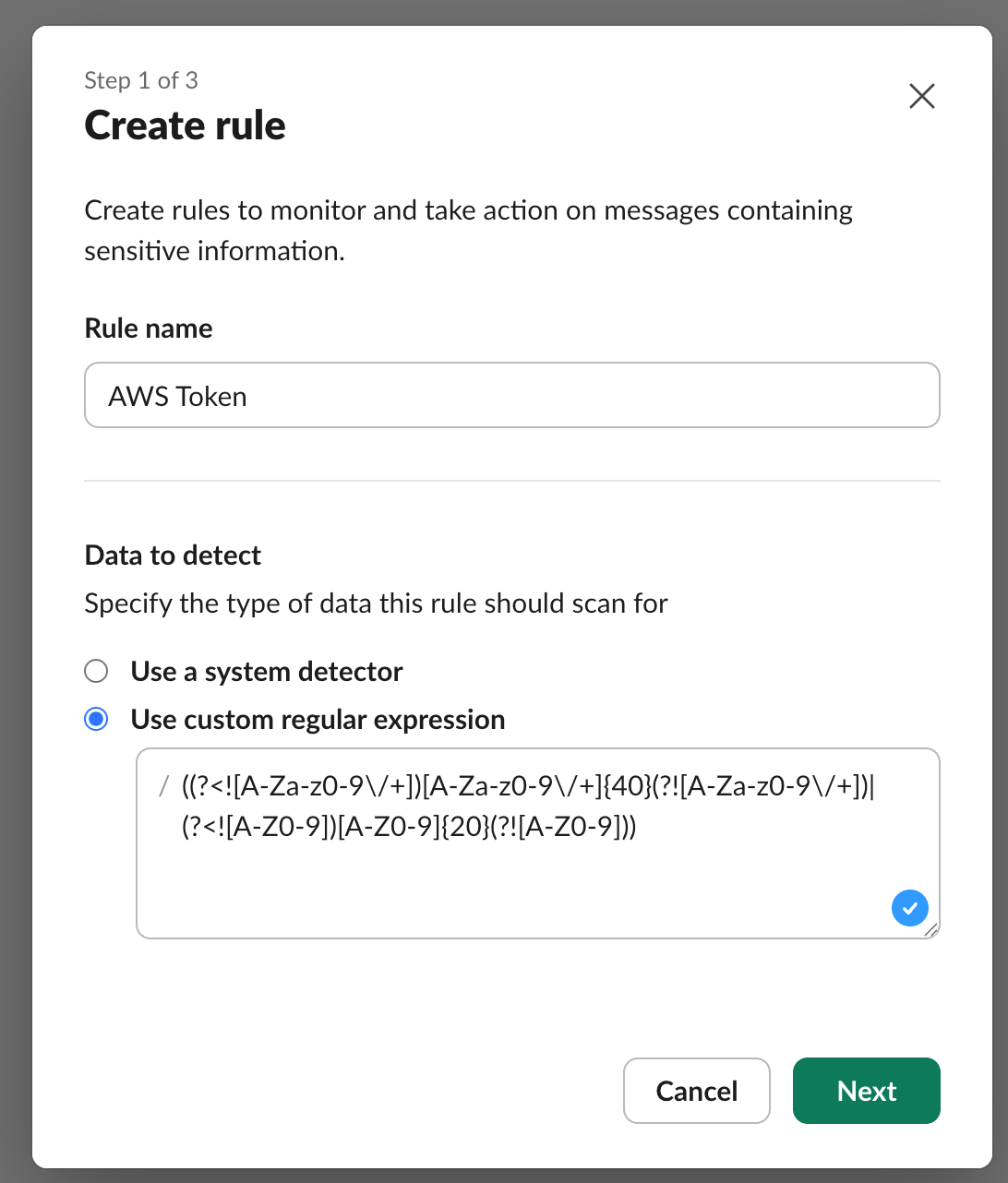
When I trigger this rule by posting a matching string in a channel, I get the following event in the audit logs:
I can also see the event in the DLP dashboard:
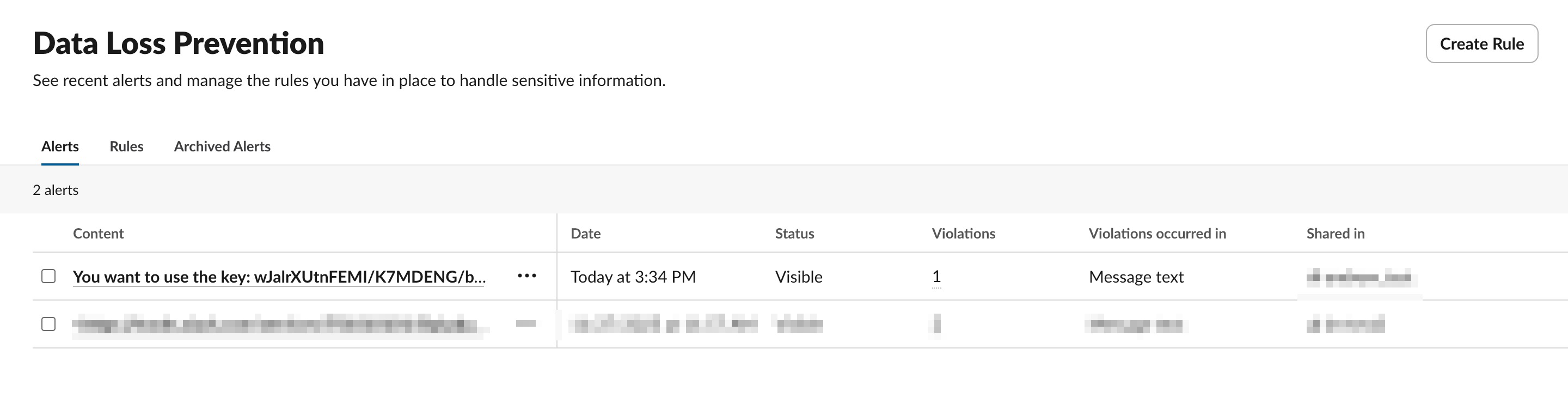
Selecting the alert, I get more information:
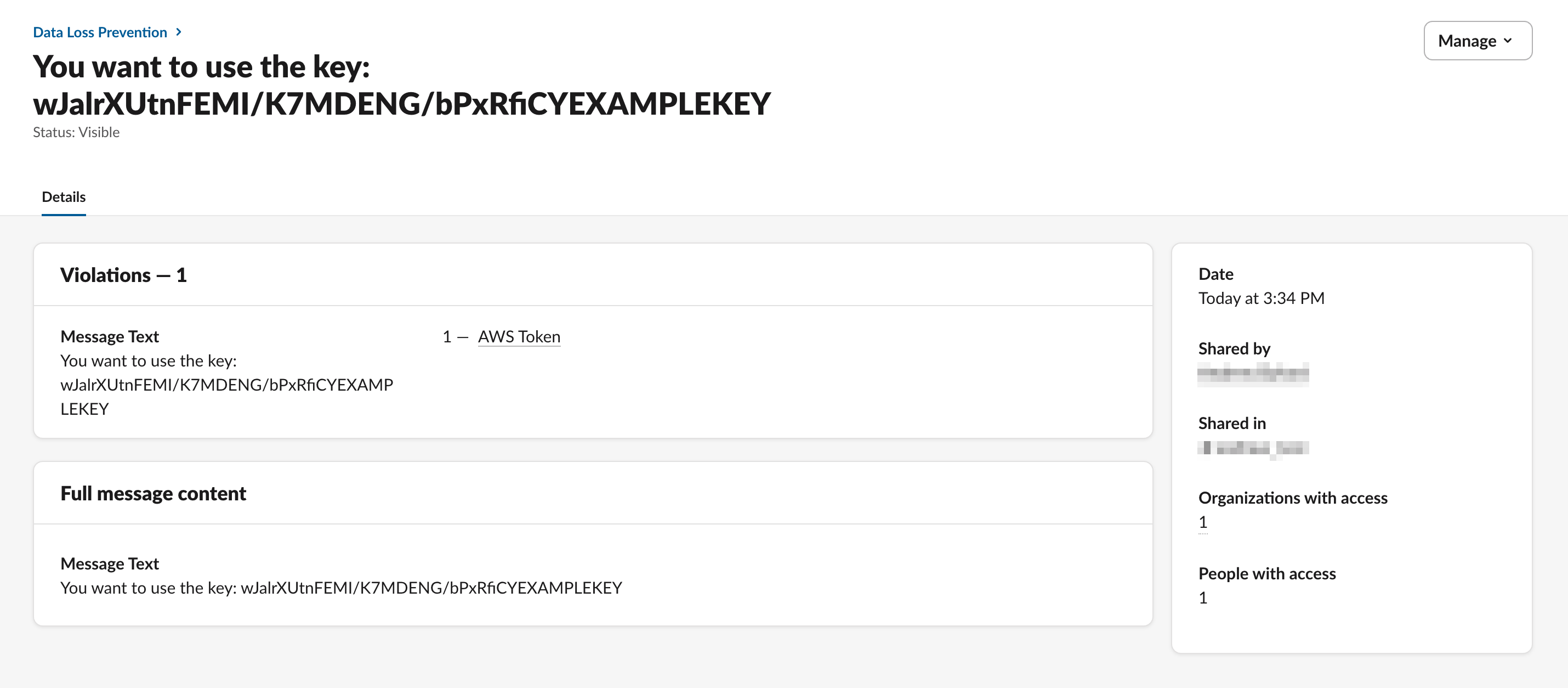
Slack gives far more detail in the DLP dashboard than it does in the audit log event. However, Slack doesn’t provide an official way of exporting DLP alerts (either via API or to file) the same way that it supports audit logs.
This creates two problems:
- SIEM detections will lack the context required to properly investigate each DLP rule event. Investigators would have to be given privileged roles in Slack to review and action detections.
- Automated response actions can’t be created, as the required fields aren’t included.
In an ideal world, the audit log event would include:
- Information on the DLP rule that was triggered (
id,name) - The contents of the message that triggered the DLP rule.
- Whether the message was actually posted or not (
USER_WARNINGtells us a popup appeared, but we don’t know whether it stopped the user posting the message or not).
Getting Full DLP Alert logs via API
To rectify this, I’ve followed up on some excellent work by Kyhle Öhlinger (blog post), who documented how reproducing the admin UI requests can be used to extract DLP logs.
You will need the d cookie for a Slack user that has the DLP Admin role. We use the methods I’ve outlined previously to turn this d cookie into an enterprise level user session token to authenticate to the API.
NOTE: I recommend creating a dedicated service account for this purpose and restricting access to the credentials. Don’t use your personal session in production.
I’ve wrapped all of this into a neat script: PaperMtn/slack-dlp-log-extractor, all you need to provide is the d cookie and your Slack enterprise domain.
 PaperMtn
Running the script:
python slack_dlp_log_extractor.py --cookie $D_COOKIE --enterprise_domain $ENTERPRISE_DOMAIN
Example output (redacted and trimmed for brevity):
{
    "id": "1767713657.322569-{{REDACTED}}",
    "summary": "You want to use the key: wJalrXUtnFEMI/K7MDENG/bPxRfiCYEXAMPLEKEY",
    "date_create": 1767713657,
    "content": "You want to use the key: wJalrXUtnFEMI/K7MDENG/bPxRfiCYEXAMPLEKEY",
    "user_id": "{{REDACTED}}",
    "conversations": [
        {
            "id": "{{REDACTED}}",
            "created": 1630420747,
            "creator": "{{REDACTED}}",
            "context_team_id": "{{REDACTED}}",
            "name": "{{REDACTED}}",
            ...
        }
    ],
    "status": "VISIBLE",
    "rules": [
        {
            "id": "{{REDACTED}}",
            "name": "AWS Token",
            "violations_count": 1
        }
    ],
    "attachments": [],
    "archive_status": "UNARCHIVED",
    "connected_team_ids": [
        "{{REDACTED}}"
    ],
    "members_count": 1,
    "all_rules": [
        {
            "id": "{{REDACTED}}",
            "name": "AWS Token",
            "violations_count": 1
        }
    ],
    "content_types": [
        "MESSAGE"
    ],
    "total_attachments_count": 0,
    "message_ts": "1767713657.322569"
}
There is a lot more information here:
- The contents of the message
- Full channel information
- What DLP rule(s) triggered the alert
- Whether the message is visible or not
I have also injected the full timestamp of the message into the log output as its own field in message_ts. This is built using the id field, and will become useful to us later on.
Conclusion
This post showed how you can use my Slack DLP log extractor script to export DLP logs from Slack.
In future posts, I’ll cover:
- Ingesting DLP alerts into a SIEM and building an investigation workflow
- Automating response using the DLP context